
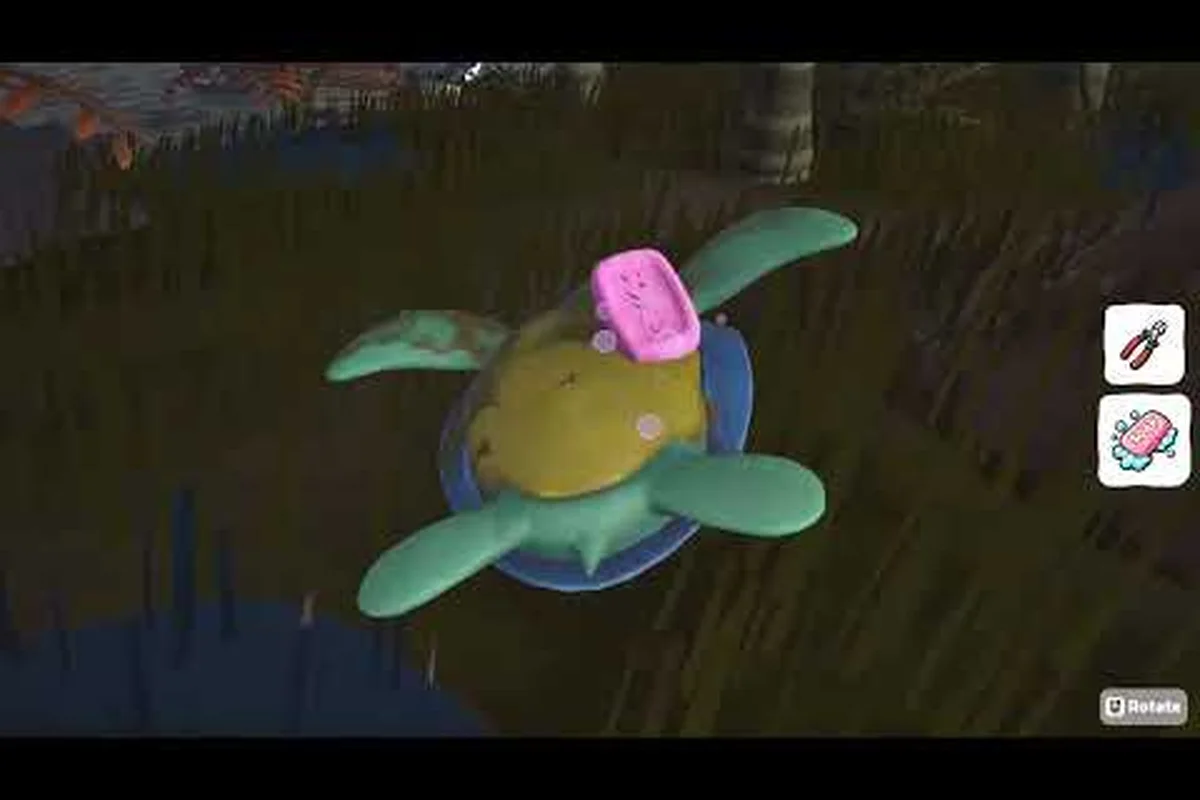
The Island Restoration shovel is the dig-first workhorse of any cleanup rotation, and learning it well changes how fast a damaged beach disappears. Players who treat the shovel as a complement to cutters, soap, and grabber picks finish whole maps in fewer passes. This guide breaks down what the shovel actually does on the sand, when to swap in Island Restoration cutters for stubborn overgrowth, how Island Restoration soap fits into the same loop, and how to clear cans, bottles, and other Island Restoration garbage without leaving behind anything that drags down Island Restoration recycling scores. The same waste-sorting logic also explains why consulting Island Restoration Trash Types before you clear a heavy cleanup day prevents the kind of mis-sorted cans and bottles that quietly capsize an otherwise perfect Island Restoration recycling run.
Understanding the Island Restoration Shovel and What It Removes
The shovel is one of the six cleaning tools confirmed for the Island Restoration on Steam launch, alongside the Grabber, Power Washer, Cutters, Soap, and a final unlockable tool. The official store page lists six unlockable cleaning tools, and the solo developer EliteTheDev has called the shovel out specifically in the dev diary trailer breakdown as the answer to mud and buried trash. The trailer shows the shovel used to break apart sand and scoop out debris, which means the tool's main job is to dig, lift, and unbury rather than to pick up loose items on the surface.
The shovel's range is short compared to the grabber, so positioning matters. Walk into the patch, face the cluster, and tap rather than swipe when you only need one scoop. Holding the action button wider sweeps a longer arc but spends more stamina and leaves the next tool's job harder if you over-dig. A useful mental model is that the shovel is a starter, not a finisher: it opens the ground so the grabber and cutters can finish the job cleanly.
Shovel Targets vs. Non-Targets
| Surface Element | Shovel Effective? | Better Tool |
|---|---|---|
| Mud patches | Yes (primary) | Soap for sticky residue |
| Buried cans and bottle caps | Yes | Grabber after digging |
| Surface cans and bottles | No (waste of time) | Grabber |
| Vines on rocks or wood | No | Cutters |
| Oil-slicked sand | Partial | Power Washer then soap |
| Animal rescue paths | Yes (clears debris) | Soap for the animal itself |
The table above is built from community testing on the demo's Tropical Isles maps, where players reported the shovel as the fastest way to expose buried Island Restoration garbage before sorting it. When something sits on top of the sand, swap tools; the grabber saves minutes across a full island run.
Shovel Timing and Stamina Sense
The shovel consumes stamina per scoop, and stamina is a shared resource across all six tools. Dig too aggressively early on a map and the player ends up standing in a cleared beach with no energy left for the power washer, which is the only tool that strips oil from stone. A steady rhythm of three or four scoops, a one-beat pause, and a tool swap keeps stamina from bottoming out. Community players on the demo's patch 1.1.1 build have described the pacing as "two scoops, one step, one tool swap" because the pause also lets the stamina bar start refilling before the next action.
Pairing the Shovel With Island Restoration Cutters and Soap
The shovel on its own only opens ground. To finish a patch, the cleanup rotation needs at least two of the other five tools. Cutters handle anything fibrous and rooted, and soap handles anything sticky or oily after the bulk of the mess is gone. Both tools are confirmed in the dev diary trailer and on the Steam store page, which lists the full roster of six.
The most common pairing pattern from the demo's Tropical Isles is shovel → cutters → grabber for the overgrowth-and-debris sections, and shovel → grabber → soap for the mud-flat sections. Cutters and soap are not interchangeable: cutters are for material that needs to be sliced, soap is for material that needs to be dissolved or softened. Conflating the two wastes time because soap on a thick vine barely does anything, and cutters on an oil patch do nothing at all.
Cutters vs. Soap: When to Use Which
| Situation | Best Tool | Why It Wins |
|---|---|---|
| Thick vine clusters on rocks | Cutters | Slices fibers cleanly |
| Light vine tendrils over sand | Shovel then grabber | Too small to justify cutters |
| Oil patches on stone | Power Washer then soap | Soap breaks the residue the washer leaves |
| Mud stuck to animal fur | Soap | Softens without distressing the animal |
| Garbage bags tangled in roots | Cutters then grabber | Cutters free the bag, grabber lifts it |
| Stubborn tar patches | Shovel then soap | Shovel lifts, soap dissolves the leftover film |
Players on the demo patch 1.1.1 also reported that the soap's soft foam visual cue makes it easy to tell when a surface is fully treated; the foam turns from white to a faint grey the moment the residue is gone, which doubles as a feedback signal for the next tool in the rotation.
Clearing Cans, Bottles, and Other Island Restoration Garbage
The shovel's buried-trash job intersects directly with the Island Restoration garbage and Island Restoration cans categories. The recycling loop on the boat requires the player to sort loose Island Restoration garbage into the right containers, and unburying cans and bottles is a big part of feeding that loop. Cans are especially common in the buried-debris pools, and community testing suggests they respawn at a higher rate than glass bottles, which is why can-focused routes feel productive.
The grabber is the primary pickup tool for any garbage that has been freed from the sand, but the shovel's job is to free it first. Trying to grabber a half-buried can usually fails; the grabber pulls against the sand and the can stays put. A single shovel scoop in front of the can lifts it enough that the grabber can collect it on the next pass. This is the same logic that the trailer shows when the developer uses the shovel to break up debris before the grabber picks up the loose bits.
Garbage Density by Type Across Demo Maps
| Garbage Type | Approx. Density (Tropical Isles) | Common Bury Depth | Pickup Tool After Shovel |
|---|---|---|---|
| Aluminum cans | High | Shallow (1-2 scoops) | Grabber |
| Plastic bottles | High | Surface | Grabber (no shovel needed) |
| Glass bottles | Medium | Surface | Grabber |
| Garbage bags | Medium | Often tangled in roots | Cutters then grabber |
| Bottle caps | Low | Buried (3+ scoops) | Grabber |
| Misc. metal scrap | Low | Deep (4+ scoops) | Grabber |
Density numbers are drawn from community playthroughs of the demo's Tropical Isles maps, and they match the official store page's mention of 12 maps across four biomes at full release, with the same trash patterns scaled up. Picking up bottles from the surface skips the shovel entirely, which is why experienced players walk the beach first with the grabber, then come back with the shovel for the buried clusters.
How the Shovel Connects to Island Restoration Recycling
Every can and bottle that the shovel helps free ends up on the boat for Island Restoration recycling. The recycling mini-game requires the player to sort loose garbage into the correct containers, and a perfect recycle run depends on bringing back clean, intact items rather than a mix of sand-covered debris. The shovel plays a quiet role here: by lifting rather than dragging, it keeps cans and bottles mostly intact, which makes them easier to sort in the recycling interface later.
A neat detail from the demo's patch 1.1.1 notes is that the Coast Litter was made brighter and more distinct based on community feedback, which is a hint that the developers want players to be able to tell at a glance what is surface trash and what is buried trash. Brighter surface litter means the grabber path is more obvious; darker, sand-toned litter means the shovel path is the right call. This visual split is what makes the shovel-recycling loop click into place.
For players who want to take the loop further, the skill tree preview included in the demo overhaul gives a small upgrade that reduces shovel stamina cost per scoop. The trailer shows the skill tree as a full unlockable system at launch, and the dev diary confirms that players can test some early upgrades during the demo. A shovel stamina reduction turns the two-scoop, one-step, one-swap rhythm into a three-scoop rhythm without dropping below the stamina floor, which is the cleanest efficiency gain a tool-focused player can chase in the early game.
Shovel, Recycling, and the Boat Loop
| Step | Action | Tool Used | Recycling Impact |
|---|---|---|---|
| 1 | Approach the buried cluster | Walk | — |
| 2 | Lift debris with the shovel | Shovel | Items stay intact |
| 3 | Pick up freed cans and bottles | Grabber | Items land in loose-trash queue |
| 4 | Return to the boat | Walk | — |
| 5 | Sort into the right containers | Hand | Drives perfect-recycle score |
The boat storage system holds loose trash between trips, and the randomizer built into the game at launch means every run reshuffles which garbage types appear in which density. That randomness is why the shovel-recycling loop is more reliable as a pattern than as a memorized route: the player learns the loop, not the map.
Shovel Efficiency, Skill Tree Synergies, and Common Mistakes
The shovel is the cheapest tool to upgrade in terms of stamina, but it has the smallest range, which means the efficiency math is more about positioning than about power. A good shovel player spends the first few seconds of every patch walking the perimeter to find the densest bury spot, then digs in a tight circle rather than across a wide arc. This keeps stamina high and leaves the grabber path short.
The skill tree preview in the demo includes a few nodes that interact with the shovel directly, and the trailer confirms that the full skill tree will ship with launch. The two preview nodes that matter most for shovel players are the stamina-cost reduction and a buried-debris highlight, which makes can clusters glow faintly through the sand. The highlight node turns the shovel from a guessing tool into a precision tool, and pairing it with the stamina reduction makes the rotation feel smooth even on the longer maps.
Common Shovel Mistakes and Fixes
| Mistake | What Happens | The Fix |
|---|---|---|
| Shoveling surface litter | Wastes stamina, slow cleanup | Use the grabber for surface items |
| Shoveling thick vines | Barely scratches the fibers | Switch to cutters for vines |
| Holding the scoop button for max arc | Drains stamina, over-digs | Tap for tight scoops |
| Skipping the soap step after mud | Leaves a sticky film | Finish with soap to dissolve residue |
| Shoveling oil patches without the power washer first | Spreads oil into clean sand | Power wash first, then shovel, then soap |
The mistake list comes from repeated community testing on the demo's Tropical Isles maps, and every fix above saves at least one tool swap per cluster. Across a full map, those saved swaps add up to several minutes of cleanup time, which is significant on the longer island runs the randomizer generates.
Frequently Asked Questions
What does the shovel actually do in Island Restoration?
The shovel digs, lifts, and unburies. It is the primary tool for mud patches and buried cans, bottle caps, and other debris trapped in sand. It is not meant for surface pickups, which the grabber handles, and it is not meant for slicing vines, which is the cutters' job.
When should I use cutters instead of the shovel?
Cutters are for fibrous material like thick vine clusters on rocks, roots wrapped around garbage bags, and other material that needs to be sliced rather than scooped. If a patch looks stringy or rooted, the cutters will finish the job in fewer swings than the shovel.
Does soap ever work with the shovel?
Yes, in a two-step pattern. The shovel lifts the bulk of the mud or tar, and soap dissolves the sticky film the shovel leaves behind. This is also the best pattern for cleaning animals safely because soap softens residue without distressing them.
How does the shovel help with recycling?
The shovel lifts cans and bottles intact, which makes them easier to sort later in the Island Restoration recycling mini-game. Items freed by the shovel are cleaner and more recognizable than items dragged across the sand, which keeps perfect-recycle scores high across a full session.
Can I skip the shovel entirely if I focus on the grabber?
You can, but you'll leave behind every buried can, bottle cap, and mud patch on the map. The grabber can only pick up loose surface items, so skipping the shovel means leaving a percentage of the cleanup unfinished and dragging down the overall island score.