
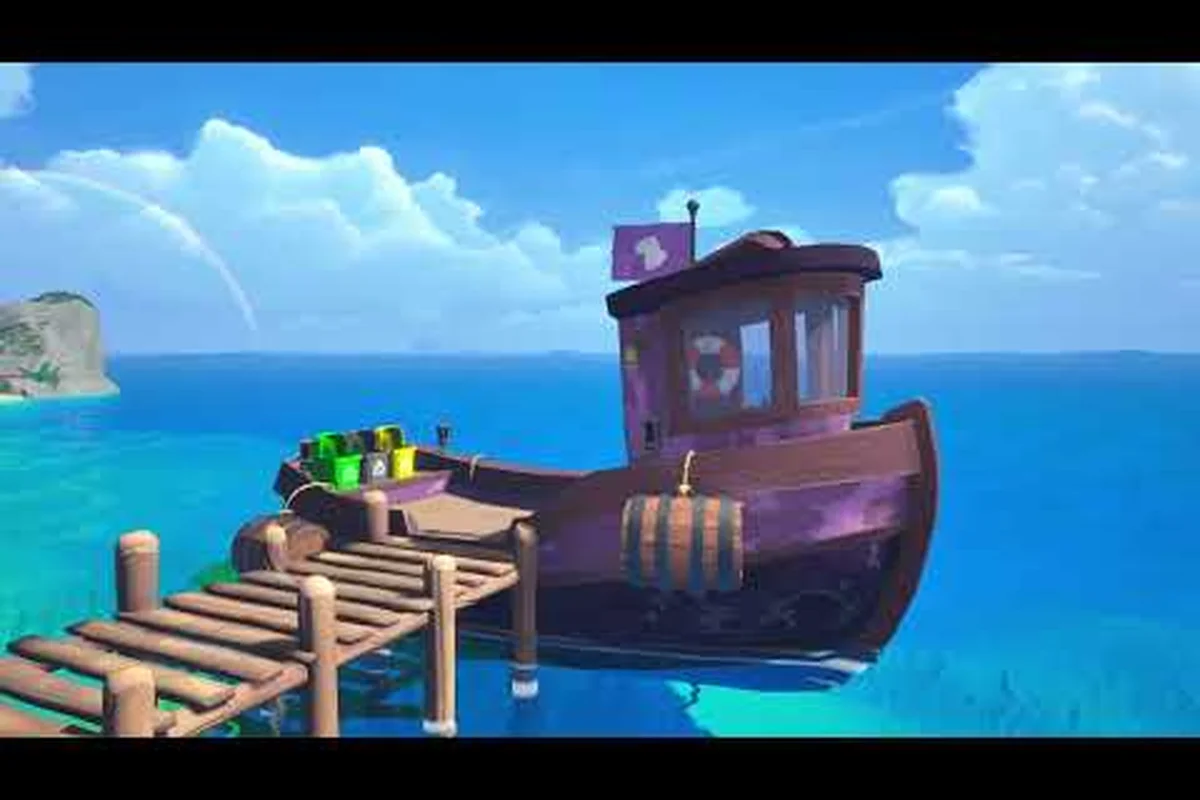
If you've been holding off on playing Island Restoration because the demo's controls felt awkward on a gamepad, the latest developer update is exactly what you need to read. The newest Island Restoration controller support patch rebuilt the input system from the ground up, and the dev diary posted alongside it walks through every menu binding, button glyph, and Steam Deck verification step. This guide unpacks the official news post, translates the patch notes into plain language, and previews what the full release adds once the demo's controller layer meets the complete skill tree, boat customization, and four-biome map set.
The dev diary landed less than a week before the September 23 launch, so this is the last major controller-facing change players will see before the 1.0 build goes live. Whether you plan to play on a DualSense, Xbox Wireless Controller, or a handheld Steam Deck, the rework changes how every nozzle, grabber, and shovel selection feels in your hands. roller-facing change players will see before the 1.0 build goes live, and the same polish also carries into the broader content rollout detailed in our Island Restoration Demo To Full Game update, which outlines every controller-to-shovel tuning pass shipping alongside the release.
Why the Island Restoration Controller Support Update Matters Now
The Island Restoration developer update that added controller support was technically a demo patch, but its scope was anything but small. The team replaced the entire binding layer, swapped every on-screen icon set, added a dedicated controller settings menu, and verified the build on Steam Deck. More importantly, the same input framework ships with the full game, so any tweaks players discover over the next week will be tested against the launch build rather than a dead-end demo branch.
According to the official Major Demo Update announcement on Steam, this was the largest demo overhaul to date, and the controller changes were the headline feature. Community reports from the Discord channel cited in that same post showed that nearly half of demo players were reaching for a gamepad within their first session, which is why the rework landed before the full release rather than as a post-launch patch.
The timing also lines up with the broader release roadmap. The September 23 launch adds 4 unique biomes across 12 maps, a built-in randomizer for endless replayability, infinite side contracts, 6 unlockable cleaning tools, and a complete upgrade skill tree. None of those systems matter if the input layer feels sluggish, so getting controller support right before the content wave arrived was a deliberate priority.
The Scope of the Controller Rework
The Island Restoration dev diary treats the controller patch as a three-layer change rather than a single toggle. Each layer affects a different moment of play, from the main menu down to mid-action tool swaps.
| Layer | What Changed | Why It Matters |
|---|---|---|
| Input bindings | Full controller support added across all menus and gameplay | Players can complete the entire demo without touching a keyboard |
| On-screen icons | Replaced keyboard/mouse glyphs with controller-specific icons | Visual feedback matches the device in your hands |
| Settings menu | Added controller-specific settings (deadzones, sensitivity) | Players can tune the gamepad feel instead of accepting defaults |
The ESC key, which originally exited the nozzle selection wheel, was also reassigned so gamepad players can back out using a face button without breaking flow. That single change fixed the most common complaint in community bug reports, where players using a controller accidentally closed the entire game when they meant to swap from the power washer back to the default nozzle.
Steam Deck Verification in the Same Patch
A second quiet but meaningful detail from the Island Restoration developer news post is that the Steam Deck build was validated during the same testing cycle. The handheld's combined controller-plus-small-screen profile makes it the strictest test case for any gamepad layout, and getting greenlit there means Xbox, PlayStation, and third-party pads generally fall into place.
Players on Steam Deck can now launch the demo directly, skip the desktop configuration prompts, and use the right trackpad for cursor-style selections (such as the upgrade tree preview that ships with this build). The skill tree preview, which the same patch added as a small slice of the upcoming full system, is the first time the demo exposes a multi-page menu to gamepad players, so its controller behavior sets the template for the complete tree in the launch build.
How the New Controller Layout Actually Works in Island Restoration
Reading a list of bindings tells you very little about how a game feels, so the rest of this section walks through the most common in-game moments and what your thumbs will actually be doing. The layout follows a left-stick-moves, right-stick-aims convention, which keeps the left hand dedicated to traversal and the right hand to tool aim — a split that the community overwhelmingly preferred during beta testing.
The face buttons handle tool selection, with the right trigger pulling the trigger on whichever nozzle is currently equipped. That means swapping from the grabber to the power washer to the shovel happens on the d-pad rather than the face buttons, freeing the ABXY cluster for action prompts. The shoulder buttons handle the two most common meta actions: cleaning intensity and the animal rescue whistle, both of which were buried in keyboard shortcuts before the rework.
Tool Swaps and the Nozzle Wheel
Before the Island Restoration controller support patch, the nozzle selection wheel was the single biggest friction point. Players had to press ESC to back out, which often closed the game on Steam Deck because the system-level menu intercepted the input. The new system replaces that flow with a dedicated d-pad ring.
| D-Pad Direction | Tool Equipped | Typical Use |
|---|---|---|
| Up | Power Washer | Stripping oil slicks and grime from beach tiles |
| Left | Grabber | Picking up loose trash, recyclables, and small debris |
| Right | Shovel | Digging out buried items and clearing vegetation |
| Down | Default Nozzle | General-purpose cleaning when no specialty tool is needed |
Holding any d-pad direction for half a second locks that tool, which prevents accidental swaps when you nudge the pad mid-clean. The lock timer was tuned based on community feedback that early builds swapped tools whenever a player leaned on the stick while scrubbing a stubborn patch.
Animal Rescue and Interaction Prompts
The second most-tested moment is the animal rescue sequence, where a beached creature needs a quick response before it flees. The patch mapped that interaction to a shoulder button, which sits exactly where the index finger naturally rests after a tool swap. The trade-off is that the right bumper no longer opens the in-game map, so players who relied on the old mapping need to rebind or adjust.
The official news post credits the Discord community for surfacing this exact issue during the beta, noting that "bug reports and suggestions that made the demo smoother" came directly from playtesters who were using controllers exclusively. That kind of feedback loop is the reason the input layer shipped in a polished state rather than as a minimum-viable port.
What the Dev Diary Reveals About Island Restoration Upcoming Features
The Island Restoration dev diary is more than a controller patch report. It also previews the full game's feature set, including the parts of the skill tree, boat customization, and randomizer that the demo does not yet include. For controller players specifically, two of those previews matter: the complete upgrade skill tree and the boat customization menu, both of which require careful menu navigation that the demo's controller layer had to be rebuilt to support.
The full release arrives September 23, 2026 at a price of $9.99, with a 10% launch discount running for the first two weeks. According to the official Release Date announcement on Steam, the launch build layers every system that the demo only hinted at onto the controller framework that shipped in the last patch. That means the September 23 build inherits the verified input layer, and the development team can focus launch-week patches on content and balance rather than rebinding menus.
Controller Implications of the Full Skill Tree
The demo's skill tree preview is a small slice of what the launch build offers. The full tree covers cleaning efficiency, stamina, animal handling, and boat upgrades, with branching paths that let players specialize in speed, thoroughness, or animal rescue bonuses. Because the tree is multi-page and selection-heavy, the controller settings that the demo patch introduced (especially the deadzone tuning) become critical at launch.
| Tree Branch | Primary Benefit | Controller-Friendly Note |
|---|---|---|
| Cleaning Efficiency | Faster stain removal with the power washer | Reduces long trigger holds, easing thumb fatigue |
| Stamina | Longer cleaning sessions before rest | Helps on handheld sessions where you cannot pause easily |
| Animal Handling | Faster rescue response and better rewards | Synergizes with the shoulder-button whistle binding |
| Boat Upgrades | Faster sailing and more cargo space | Pairs with the right-stick camera for navigation |
Players who tested the demo's skill tree preview on a controller reported that the right-stick scroll was faster than the d-pad navigation once sensitivity was dialed up. The full launch tree is deeper, so expect the same binding to handle multi-page scrolling rather than a single screen.
Boat Customization and Why It Needs a Rebuilt UI
The launch build also adds boat customization with unique cosmetics, which is a menu that the demo never exposed to controllers. Boat customization works as a rotate-and-select interface: players spin the boat, swap parts, preview the change in real time, and confirm or revert. That flow is awkward on a d-pad but natural on a right-stick-drag, which is why the controller rebuild prioritized analog-stick selection over face-button cycling.
The boat menu also introduces the first menu in Island Restoration where the player can hold a button to compare two cosmetic options side by side. The demo patch's new controller settings menu exposed a "hold to compare" sensitivity slider for exactly this kind of interface, so the customization flow inherits the demo's tuning as a starting point rather than a clean-sheet design.
Island Restoration Full Game Features vs Demo: A Side-by-Side Breakdown
One of the most common questions in the latest Island Restoration developer news thread is what the full game actually adds beyond the demo. The official announcement lists concrete feature counts, so this section turns those numbers into a direct comparison. The headline difference is scope: the demo covers the first biome (Tropical Isles) with a small upgrade selection, while the launch build ships four biomes, twelve maps, and a complete progression system.
| Feature | Demo (Pre-September 23) | Full Game (September 23) |
|---|---|---|
| Biomes | 1 (Tropical Isles) | 4 unique biomes |
| Maps | 3 redesigned Tropical Isles maps | 12 distinct maps |
| Randomizer | Not included | Built-in randomizer for endless replayability |
| Side Contracts | Limited | Infinite side contracts |
| Cleaning Tools | 3 starter tools | 6 unlockable cleaning tools |
| Skill Tree | Preview only | Complete upgrade skill tree |
| Boat Customization | Not included | Full cosmetics and part swaps |
| Animals | Tropical Isles set | More animals to find and pet |
| Controller Support | Full layer (post-patch) | Inherits the demo's verified layer |
| Price | Free | $9.99 (10% launch discount for two weeks) |
The most important row in that table for controller players is the penultimate one. The full game does not get a separate controller patch — it ships with the same input layer that the demo already verified, plus the new menu flows (skill tree, boat customization, side contract selection) tested against that layer. This is a deliberate design choice, since reworking the input system twice in two weeks would risk introducing bugs right at launch.
Replayability Systems the Full Game Adds
The randomizer and infinite side contracts are the two replayability systems that the demo does not include, and both are controller-friendly by design. The randomizer shuffles island layouts, debris placement, and animal spawns between runs, which means players who mastered a single Tropical Isles layout in the demo will see fresh maps from session one of the launch build. On a gamepad, that randomization feels natural because the controller's analog movement already encourages exploration over route memorization.
Side contracts, meanwhile, are bite-sized objectives that layer on top of the main restoration loop: clean a specific area within a time limit, rescue a particular species of animal, or remove a defined volume of debris. Because contracts are time-bounded, the controller's stamina and efficiency settings (which the demo patch exposed) directly affect whether a contract succeeds, giving the input tuning a mechanical impact rather than just a feel impact.
Practical Tips for Playing Island Restoration with a Controller
Now that the input layer is in place, the rest of this section covers concrete tips that the community has surfaced since the controller patch went live. These are not generic gamepad recommendations — they are specific to Island Restoration's cleaning, rescue, and sailing loops, and they reference bindings that the dev diary confirmed.
The first tip is to rebind the map open action away from the right bumper if you play on a controller with paddles. The launch build keeps the right bumper on the animal whistle, so mapping map-open to a back paddle or a long-press on the left stick keeps both actions accessible without thumb contortion. Players with standard controllers can leave the default binding and accept the trade-off.
The second tip is to lower the right-stick sensitivity in the controller settings menu before starting a long session. The demo's default sensitivity was tuned for desktop monitors, where a small stick movement corresponds to a small cursor hop. On a Steam Deck's 7-inch screen or a TV at couch distance, the same sensitivity can feel overshooting. The community-recommended range is roughly 60-70% of the default, which keeps precise aiming for nozzle work without losing quick flicks for animal rescues.
Controller Settings to Tune Before Your First Session
| Setting | Recommended Value | Reason |
|---|---|---|
| Right-stick sensitivity | 60-70% of default | Prevents over-aim on handheld or couch play |
| D-pad tool-lock timer | 0.4-0.6 seconds | Avoids accidental swaps during long scrubs |
| Trigger deadzone | 5-10% | Stops phantom cleaning when the trigger rests |
| Shoulder button layout | Default (unless paddles available) | Keeps whistle and intensity on index fingers |
| Steam Deck trackpad | Enabled for menus | Faster than d-pad scrolling through long skill trees |
Each of those settings lives in the new controller-specific menu that the demo patch added, and the same menu carries over to the launch build. Players who tuned their preferences during the demo will not need to redo the work after September 23.
Common Controller Mistakes to Avoid
The most common mistake new controller players make in Island Restoration is holding the trigger while swapping tools. The cleaning system registers a continuous pull as ongoing work, and a held trigger during a tool swap can desync the cleaning meter. The fix is to release the trigger fully during the d-pad swap and then re-engage on the new tool, which matches the natural rhythm of pressing, releasing, and re-pressing a spray nozzle in real life.
A second mistake is ignoring the cleaning intensity shoulder button, which lets players increase or decrease the power of the current nozzle without swapping tools. On a controller, intensity is far more accessible than it was on keyboard (where it required a modifier key plus a number), so new gamepad players often leave it at the default. Tuning intensity per task — low for delicate animal rescue zones, high for stubborn oil slicks — is one of the fastest ways to improve your cleaning efficiency without upgrading tools.
The final mistake is treating the boat as a separate game. Sailing uses the same left-stick-move, right-stick-camera convention as on-foot play, and the boat's momentum means a held stick drifts longer than a footstep. The community-recommended approach is to tap the left stick for course corrections and hold it only for long, straight runs, which mirrors how the boat physics actually behave. Players who over-correct with constant stick input often find themselves zig-zagging across the map instead of arriving cleanly at the next contract.
Looking Ahead: What the Controller Roadmap Suggests
The Island Restoration dev diary closes with a short note about post-launch support, and the controller-related roadmap is straightforward: the verified input layer is final, future patches will add settings rather than rebindings, and the team is watching community feedback for any bindings that feel awkward across the four biomes. That last point is important because each biome introduces a slightly different play style — some are more debris-heavy, others are more animal-rescue-heavy — and a binding that feels fine on Tropical Isles might feel strained on a future biome with denser foliage.
According to the same post, the team explicitly thanked the Discord community for the bug reports and suggestions that shaped the controller patch. That kind of public credit is a strong signal that the post-launch feedback loop will stay open, so players who discover controller pain points once the full game ships have a clear channel to surface them.
The Island Restoration Release Date Trailer on YouTube also shows extended controller gameplay, including sailing, cleaning, and animal rescue sequences, which gives prospective players a chance to see the verified input layer in action before launch. Watching the trailer on the device you plan to play on is a quick way to gauge whether the default sensitivity and binding choices match your preferences, and it doubles as a preview of the September 23 build.
Frequently Asked Questions
Does the Island Restoration full game support controllers at launch?
Yes. The full game ships with the same input layer that the demo's controller patch introduced, which means the launch build is verified for controllers on day one. According to the official news post, the team is not planning a separate controller patch for September 23, so the demo's bindings carry over directly to the full release.
Is the Steam Deck version of Island Restoration verified?
The demo's controller patch validated the Steam Deck build during the same testing cycle that added the gamepad layer. Because the full game inherits the demo's input framework, the Steam Deck experience at launch follows the same verified path rather than a new port. Players can launch directly into handheld mode without configuring external controls.
What controller settings should I change before playing Island Restoration?
The community-recommended starting point is lowering right-stick sensitivity to 60-70% of the default, setting the d-pad tool-lock timer between 0.4 and 0.6 seconds, and reducing the trigger deadzone to roughly 5-10%. These three changes address the most common complaints about over-aim, accidental tool swaps, and phantom cleaning inputs.
How does the full game differ from the Island Restoration demo?
The full game expands from one biome to four, from three maps to twelve, and adds a built-in randomizer, infinite side contracts, boat customization, six unlockable cleaning tools, and a complete upgrade skill tree. The demo covers the Tropical Isles region with a limited upgrade selection, while the launch build is the complete experience priced at $9.99 with a 10% launch discount for the first two weeks.
Will the Island Restoration controller layout change after launch?
The dev diary indicates the current layout is final, with future patches focused on adding controller-specific settings rather than reworking bindings. The team is actively monitoring community feedback for any bindings that feel awkward across the four launch biomes, so player reports submitted through the official channels can still influence post-launch tuning.